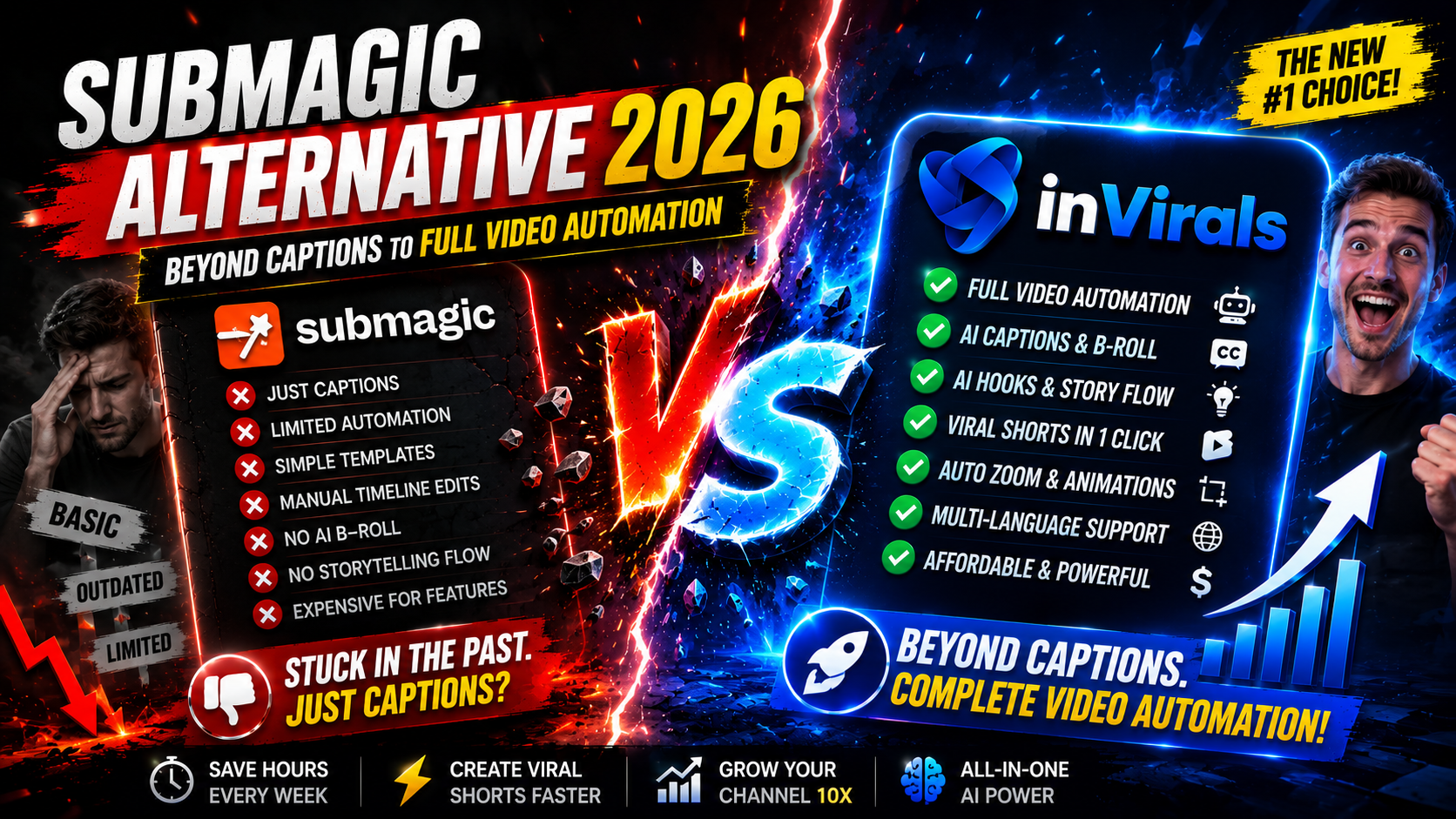
Submagic Alternative 2026: Beyond Captions to Full Video Automation
Submagic made a name for itself with eye-catching animated captions and quick editing features for short-form video. If you already have footage and just want to add trendy subtitles, B-roll, and zoom effects, it does that well. But Submagic is fundamentally an editing-and-captions tool. It assumes you already have a video. For creators building faceless channels who need to generate content from scratch and post daily, that assumption is a major limitation. This is why many creators search for a Submagic alternative in 2026.
Below we break down what Submagic does, where it falls short, and how the best alternatives compare for creators who want a complete content engine, not just a caption styler.
Understanding the category: captions vs. creation
To choose the right tool, you first have to be honest about which problem you are solving. There are two very different jobs hiding inside the phrase "make short-form videos." The first is finishing: you already have footage, and you need to make it punchy with captions, B-roll, and effects. The second is creating: you have an idea but no footage at all, and you need a tool to produce the entire video. Submagic is built for the first job. It is a finishing tool. It assumes the hardest part, generating watchable footage, is already done.
For a creator who films themselves talking, that assumption is fine. But the fastest-growing segment of short-form in 2026 is faceless content, where the creator never films anything. A faceless motivation channel, a history page, a finance explainer, a true-crime narration account, none of these start with footage. They start with a topic. For those creators, a captioning tool is the last 10 percent of the workflow, and the missing 90 percent, the script, the visuals, the voice, the assembly, is exactly the part Submagic does not touch. That gap is why a true Submagic alternative needs to be a generator first and a captioner second.
What Submagic does well
- Generates accurate, animated captions in popular styles.
- Adds automatic B-roll, zooms, and transitions to existing footage.
- Speeds up the editing of clips you already have.
- Offers a clean, beginner-friendly editing interface.
Where Submagic falls short
1. It does not generate videos
Submagic edits and captions existing footage. It cannot create an original faceless video from a topic. If you do not already have content, Submagic gives you nothing to work with. For faceless creators, this is the dealbreaker: the entire premise of a faceless channel is that you never film anything, so a tool that requires footage solves the wrong half of the problem.
2. No original AI visuals
There is no text-to-video, no AI image generation, and no consistent AI characters. You bring the visuals; Submagic decorates them.
3. No daily automation
Submagic is a manual editing tool. It does not run an autonomous series that generates and posts videos to your channels every day. For faceless growth that depends on volume, this is a hard ceiling.
4. Single-purpose
If you want clipping, UGC ads, image-to-video, and faceless generation, you would need several tools alongside Submagic. That adds cost and complexity. Every extra tool is another login, another billing cycle, another export format, and another place where your workflow can break. Creators who scale successfully tend to consolidate rather than collect subscriptions, because every handoff between tools is friction that slows down daily publishing.
What to look for in a Submagic alternative
- Video generation, not just captioning.
- Original AI visuals and consistent characters.
- Automated daily posting across platforms.
- Great captions still included (you should not lose what Submagic does well).
- Multiple formats in one subscription.
inVirals vs Submagic: comparison
| Feature | inVirals | Submagic |
|---|---|---|
| Animated captions | Yes | Yes |
| Generate videos from a topic | Yes | No |
| Original AI visuals / characters | Yes | No |
| Faceless daily series + auto-post | Yes | No |
| AI script generator | Yes | No |
| Clip long videos into shorts | Yes | Limited |
| Realistic AI voices | 20+ languages | No |
| UGC ads and image-to-video | Yes | No |
Why inVirals is the stronger Submagic alternative
It creates the video, then captions it
The core difference: inVirals generates the entire video from a topic, including script, original visuals, voiceover, captions, and music. Submagic only handles the captioning and editing of footage you already have. With inVirals, captions are part of a complete creation pipeline, not the whole product.
You never need existing footage
Faceless creators want to build channels without filming. inVirals lets you go from a topic to a finished, captioned short in under two minutes, no source footage required. That removes Submagic's biggest dependency. It also means you can start a channel today, with no camera, no microphone, and no back catalog, something a finishing tool can never offer because it has nothing to finish until you hand it a video.
Automation that runs your channel
Connect your channels, set up a daily series, and inVirals publishes automatically. Submagic requires you to manually edit and export every video. For consistent daily output, automation is essential.
Captions you will still love
You do not lose what made Submagic appealing. inVirals includes styled, animated captions in its built-in editor, so your videos stay punchy and native-feeling, on top of everything else it does.
One tool, many formats
With the AI clip generator, UGC ads, and image-to-video, inVirals replaces a stack of single-purpose tools.
A side-by-side workflow: the same video in both tools
Theory is one thing; the daily reality of producing content is another. Imagine you want to publish one faceless "psychology fact" short every day for a month. Here is how that month plays out in each tool.
The Submagic workflow
- Find or create raw footage for the video. Submagic cannot do this, so you are already stuck unless you filmed something or sourced clips elsewhere.
- Record or generate a voiceover separately in another app.
- Assemble the footage and audio into a rough cut in a separate editor.
- Import the cut into Submagic.
- Generate captions, add B-roll, and apply zoom effects.
- Export, then upload manually to TikTok, YouTube, and Instagram.
- Repeat the entire chain tomorrow.
The inVirals workflow
- Type the topic, for example "the psychology of why we procrastinate."
- The platform writes a hook-first script, generates original visuals, adds a realistic voice, and styles animated captions automatically.
- Review the finished short, tweak captions if you want, and let the daily series publish it across all three platforms.
The Submagic path involves three or four separate tools and an hour or more per video. The inVirals path is a single window and a few minutes. Over 30 days, that difference is the gap between a part-time job and a background process. If you are starting from zero footage, the text-to-video workflow is what closes that gap, because it produces the visuals Submagic expects you to already have.
Where captions actually fit in the bigger picture
It is worth saying clearly: captions matter. Roughly 80 percent of short-form viewers watch with the sound off at first, so on-screen text is what carries your hook in those critical opening seconds. Submagic understood this early, which is why its animated, word-by-word caption styles became a recognizable look. The mistake is treating captions as the product rather than as one feature inside a production pipeline.
inVirals treats captions the way they should be treated, as an automatic, customizable layer applied to a video it already generated. You get the same active, high-contrast, word-highlight styles that make shorts feel native, but you get them on top of a complete video rather than as the only thing the tool can do. The practical result is that you keep everything you liked about Submagic's output while removing its biggest limitation.
Caption best practices that work on every platform
- Keep them big and centered. Text should be readable on a phone held at arm's length, occupying the middle third of the frame where the eye naturally rests.
- Highlight one or two words at a time. Active captions that emphasize the spoken word keep the eye moving and lift completion rate.
- Avoid blocking key visuals. Position captions so they never cover faces, on-screen numbers, or the focal point of the image.
- Match the font to the niche. A bold condensed font suits motivation and finance; a cleaner rounded font suits lifestyle and education.
- Proofread auto-transcription. AI captions are accurate but not perfect; a 10-second check prevents an embarrassing typo from going viral.
Mistakes creators make when leaving Submagic
- Assuming any generator captions as well as Submagic. Some do not. Confirm the alternative offers styled, animated captions, not plain subtitles. inVirals does.
- Forgetting they still need footage with caption-only tools. If you switch to another captioning tool, you have solved nothing. The point is to move to a tool that creates the video, too.
- Over-decorating. Submagic makes it easy to pile on zooms and B-roll. More effects do not equal more retention; a clean cut every two to four seconds usually outperforms constant motion.
- Posting to one platform. The same short belongs on TikTok, Shorts, and Reels. Use a tool that publishes to all three instead of exporting and re-uploading.
- Ignoring volume. The biggest growth lever is how many quality videos you post. A finishing tool caps your volume at how fast you can produce footage; a generator removes that ceiling.
Pricing logic: why bundling usually wins
Sticker price is the wrong number to compare. The right number is the total cost of everything you need to actually publish daily faceless content. With Submagic, captions are one line item, but you still have to pay for, or build, a script tool, a visual source, a voice generator, and a scheduler. Stack those up and the "cheap" captioning subscription becomes the smallest part of a four- or five-tool bill, plus the hidden cost of stitching them together every day.
An all-in-one platform folds scripting, visuals, voice, captions, clipping, and auto-posting into a single subscription. Before deciding, weigh the inVirals pricing against the combined cost of the separate tools it replaces. For most creators publishing more than a few videos a week, consolidation is both cheaper and dramatically simpler to run.
When Submagic is still useful
If you already produce plenty of footage and your only need is fast, attractive captions and light editing, Submagic is a focused, well-made tool. The alternative matters when you want to generate original faceless content and automate daily posting rather than just decorate existing clips.
The growth math: why generation beats finishing
Short-form growth is largely a numbers game layered on top of quality. The algorithms on every major platform learn what your audience wants by watching how real viewers respond to each video. The more videos you ship, the faster that learning happens, and the sooner you find the hook style, niche angle, and pacing that breaks out. A creator who posts once a week needs months to gather the same signal a daily poster gathers in a few weeks.
This is where the difference between a finishing tool and a generator becomes a growth difference, not just a convenience. With Submagic, your ceiling is how much footage you can produce, because captions cannot exist without a video underneath them. With a generator, that ceiling disappears: a topic becomes a finished short in minutes, so posting daily across three platforms is realistic for one person. Over a 90-day push, the creator using generation might publish 180 videos to the finishing-tool creator's 30, and that volume gap usually decides who finds a breakout first.
Which creators should switch, and which should not
Not everyone needs to leave Submagic, so it helps to match the decision to your situation rather than to hype. Here is a straightforward way to decide based on the kind of creator you are.
| Your situation | Best fit | Why |
|---|---|---|
| You film yourself daily and only need captions | Submagic works fine | You already produce the footage; you just need finishing |
| You want a faceless channel from scratch | inVirals | You need generation, not just captioning |
| You run a long-form channel and want clips | inVirals | Clip generator plus generation when you run out of source |
| You need to post to three platforms daily | inVirals | Auto-posting removes manual uploads |
| You sell products and need UGC-style ads | inVirals | Built-in UGC ads and image-to-video |
The honest summary: if footage is the easy part of your workflow, Submagic is enough. If footage is the hard part, or if it does not exist at all, you have outgrown a finishing tool and need a generator. The vast majority of creators trying to scale faceless content fall into the second group.
How to switch
- Sign up at invirals.com.
- Generate a faceless short from a topic, complete with animated captions.
- Fine-tune captions and timing in the built-in editor if needed.
- Connect your channels and set up a daily series for automated posting.
The bottom line
Submagic is a great captioning tool, but captions are only one piece of the puzzle. If you want to generate original faceless videos, keep great captions, and automate daily posting, inVirals is the strongest Submagic alternative in 2026. The honest test is simple: if producing footage is the hard part of your workflow, you need a generator, not a finishing tool, and that is exactly the gap inVirals fills. Start creating with inVirals and build a complete content engine, not just subtitles.
Frequently asked questions
Does inVirals have captions as good as Submagic?
Yes. inVirals generates styled, animated captions automatically, and you can customize them in the built-in editor, while also handling full video generation.
Can inVirals make videos without my own footage?
Yes. Unlike Submagic, inVirals generates complete faceless videos from a topic, so you do not need any existing footage to start.
Does inVirals auto-post?
Yes. Connect your TikTok, YouTube, and Instagram accounts and set up a daily series for fully automated posting.
Is inVirals more cost-effective than Submagic plus other tools?
Often, yes. Because it bundles generation, captions, clipping, UGC ads, and image-to-video into one subscription, you avoid paying for multiple single-purpose tools.
Can I still customize caption styles like I did in Submagic?
Yes. inVirals generates animated captions and lets you adjust font, color, position, and the word-highlight effect in the built-in editor, so you keep the punchy, native look Submagic is known for.
Do I need any video editing experience to switch?
No. The workflow is no-code. You enter a topic and the platform handles the script, visuals, voice, and captions automatically. The editor is there if you want to fine-tune, not a requirement.
Can inVirals also caption footage I already filmed?
Yes. If you do have existing footage, you can run it through the AI clip generator to reframe and caption it, so you are not losing the use case Submagic served while gaining full generation on top.
Which platforms can inVirals post to automatically?
TikTok, YouTube, and Instagram. Connect your accounts once, set up a daily series, and the same faceless short publishes to all three without manual uploads.