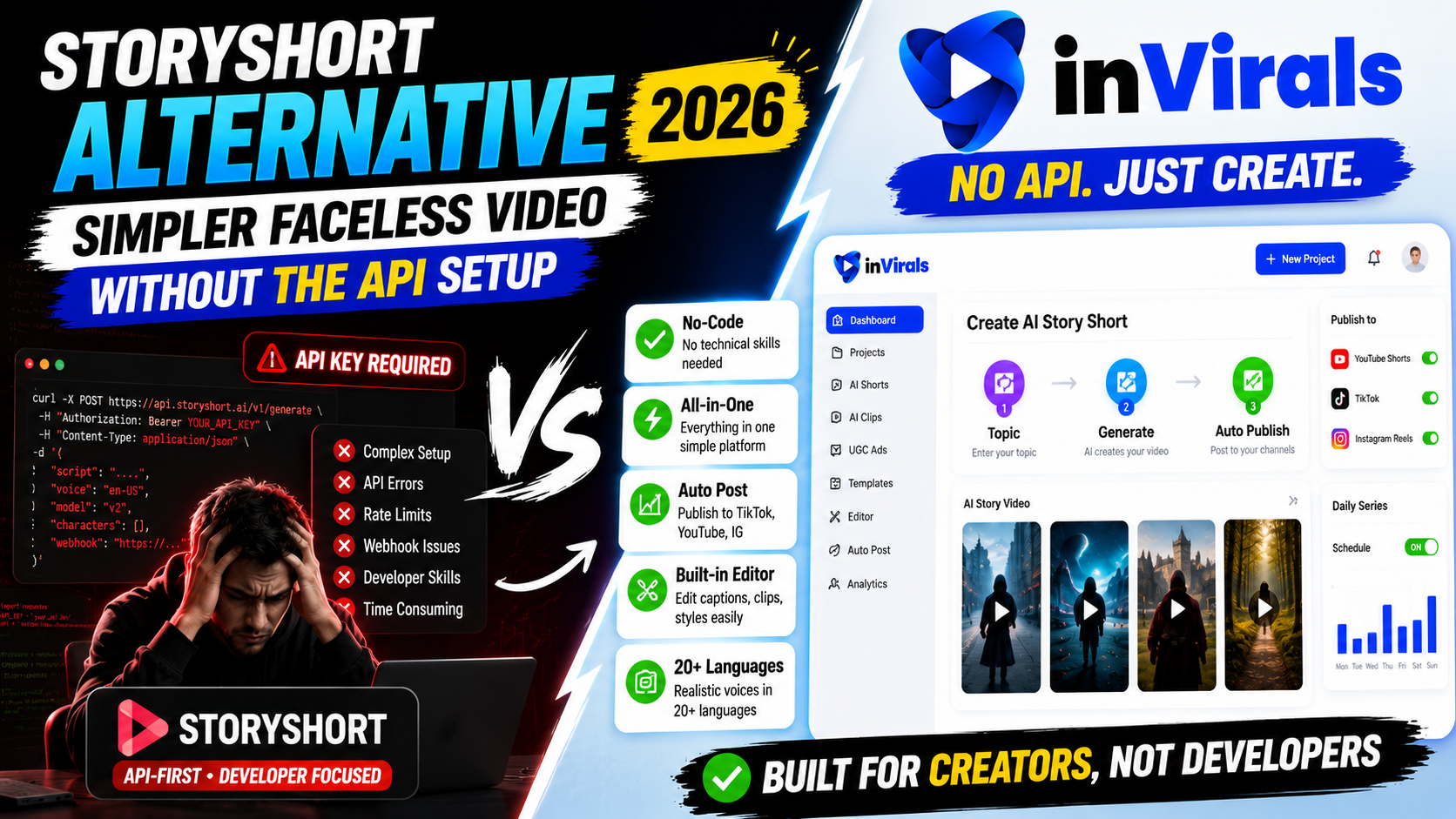
StoryShort Alternative 2026: Simpler Faceless Video Without the API Setup
StoryShort is a capable tool for story-driven faceless videos with AI characters, and its API is genuinely useful for developers building a custom pipeline. But that same developer focus is why many creators look for a StoryShort alternative in 2026. Most people do not want to wire up an API. They want to open a tool, pick a topic, and have a finished short posting to their channels. If that is you, this guide compares the options in depth, walks through setup, and shows where a no-code all-in-one platform fits.
Why creators look for a StoryShort alternative
- Too much setup. The API-first angle is powerful but unnecessary for solo creators who just want to publish.
- Format focus. Strong on story content, but creators often also want clip repurposing and ad creative.
- All-in-one preference. One simple dashboard beats juggling tools and technical steps.
inVirals vs StoryShort: feature comparison
| Feature | inVirals | StoryShort |
|---|---|---|
| No-code, beginner friendly | Yes | API-leaning |
| Faceless story videos | Yes | Yes |
| AI characters / consistent visuals | Yes | Yes |
| Auto-post to TikTok/YT/IG | Yes | Yes |
| AI clip generator | Yes | No |
| UGC ad creation | Yes | No |
| Built-in editor | Yes | Limited |
| Realistic voices, many languages | 20+ languages | Yes |
Where inVirals stands out
Publish without technical setup
inVirals is built for creators, not engineers. You enter a topic, choose a style and voice, and generate a finished short. No API keys, no pipeline to maintain. Connect your channels once and let a daily series run. The time you would have spent reading integration docs and handling edge cases goes straight into making and testing content, which is the work that actually grows a channel.
More than story videos
StoryShort centers on narrative content. inVirals covers that and adds an AI clip generator, UGC ads, and image-to-video, so one account serves both organic growth and paid campaigns.
Edit without leaving the app
A built-in editor lets you fix captions, timing, and effects in seconds, so your videos look intentional rather than mass-produced. In a code-driven workflow the same small change often means tweaking parameters and regenerating the whole clip, which is slower and breaks your creative flow. Having a visual timeline at hand means you refine as you review, and a quick pass through five videos takes minutes rather than a regeneration cycle for each one.
No-code versus API: which one do you actually need?
The core decision when choosing between StoryShort and an alternative comes down to a single question: do you want to build a video pipeline, or do you want to publish videos? They sound similar but they are very different jobs. Building a pipeline means working with API keys, handling responses in code, managing rate limits, and maintaining that integration as the service evolves. It is powerful, and for a software team shipping a product that generates video at scale, it is the right tool. Publishing videos means opening a dashboard, typing a topic, and getting a finished short you can post. That is what the overwhelming majority of creators want.
StoryShort leans toward the first job. Its API-first design is a genuine strength for developers, but it is overhead that a solo creator or small content team never asked for. inVirals is built squarely for the second job. It is a no-code AI faceless video generator where every capability is available through a visual interface, so the time you would have spent wiring up an integration goes into making and testing content instead.
Feature-by-feature breakdown
Story-driven content and AI characters
StoryShort's specialty is narrative video with AI characters, and it does that well. inVirals matches it on story content, generating consistent characters and a coherent visual arc across a single video, and it does so without any setup beyond choosing a style. For the POV stories, mini-documentaries, and dramatized retellings that perform on short-form, both tools produce the format; only one requires no technical work to get there.
Scripts that retain viewers
Narrative content lives or dies on pacing. A story that gives away its payoff too early loses the viewer; one that drags loses them too. inVirals builds every script around a hook using its AI video script generator and lets you test different openings with the AI video hook generator, so your stories are structured for completion rather than just narrated.
Editing without a separate step
When a caption mistimes or a scene runs long, you want to fix it immediately. inVirals includes a built-in editor for exactly that. In an API-centric workflow, a small fix can mean adjusting parameters and regenerating, which is slower than nudging a caption in a visual timeline.
Formats beyond story video
StoryShort centers on narrative shorts. inVirals adds an AI clip generator for turning long videos into shorts, UGC ads for paid campaigns, and image-to-video for animating stills. One account covers organic storytelling and paid creative.
Setup time compared
| Step | inVirals (no-code) | StoryShort (API-leaning) |
|---|---|---|
| Account to first video | Minutes | Longer if using the API |
| Technical knowledge needed | None | Developer skills for API |
| Connecting social channels | One-time authorization | Manual or custom integration |
| Daily automated posting | Built-in series | Configure in your pipeline |
| Editing a finished video | Built-in editor | Regenerate or external app |
How to start with inVirals in one sitting
- Sign up at invirals.com — no API keys, no configuration.
- Pick a niche and story angle. True crime, history, mystery, motivation, or any narrative format.
- Choose a visual style and a voice from the 20+ language library.
- Generate your first story short and review it in the built-in editor.
- Connect your channels and activate a daily series so new stories publish automatically.
Most creators go from sign-up to a finished, posted video in a single session, which is the whole point of a no-code tool.
Who each tool is really for
It helps to be blunt about the audience for each tool, because choosing the wrong one wastes weeks. StoryShort is for developers and product teams who want programmatic video generation inside their own software, and who have the engineering time to build and maintain that integration. inVirals is for creators, marketers, and small teams who want to grow faceless and story-driven channels without writing a line of code. If you fall into the second group, the API that makes StoryShort attractive to the first group is simply friction you do not need.
Mistakes to avoid when choosing a story-video tool
- Paying for API power you will never use. If you are not building software, an API-first tool adds complexity without benefit.
- Underrating the script. Story content fails on weak pacing more than on weak visuals. Prioritize a tool with strong hook-first scripting.
- Choosing a single-format tool. If you will ever want clips or ads, pick a platform that already includes them.
- Skipping the quality check. Even no-code automation deserves a two-minute review on the first few videos so your series starts strong.
What makes a story-driven short actually perform
Story content has a unique advantage on short-form feeds: a good narrative creates an open loop in the viewer's mind, and people stay to see how it resolves. That open loop is the engine of watch time, which is the metric the platforms reward most. But the advantage only works if the story is structured correctly, so it is worth understanding the anatomy of a short that holds attention to the end.
Open with the stakes, not the setup
Weak story videos begin with context: who, where, when. Strong ones begin with the stakes: the threat, the mystery, the shocking outcome that the rest of the video will explain. Lead with the moment that makes someone need to know more, then fill in the background as you go. A hook-first script engine handles this automatically, which is why scripting quality matters as much as visuals.
Keep one thread per video
A 30-second short cannot carry subplots. Pick one question and answer it. If you have a larger story, break it into a series of single-thread shorts, which also trains your audience to come back for the next part. This is where consistent AI characters help, because the viewer recognizes the world across episodes.
End on a loop or a turn
The final second should either loop cleanly back to the opening or deliver a twist that earns a rewatch. Both inflate completion rate, and completion rate is what tells the algorithm to push the video to a wider audience.
Story-channel niches that grow fast
Because inVirals removes the technical barrier, you can launch a story channel in almost any of these proven niches in a single afternoon:
- True crime and unsolved mysteries — naturally suspenseful, high completion and shares.
- History retold as drama — battles, betrayals, and discoveries framed as stories rather than lectures.
- Horror and creepypasta — atmosphere-driven, spreads through shares.
- Mythology and folklore — rich source material with strong visual potential.
- Reddit-style first-person stories — relatable, emotional, and endlessly renewable.
- Motivational origin stories — rise-and-fall arcs that inspire and get saved.
Each of these can run as an automated daily series, and because the platform handles scripting, voicing, and posting, a single creator can comfortably run two or three at once to see which finds an audience first.
A simple batching workflow for story channels
- Plan a theme week. Choose one niche and brainstorm seven single-thread story ideas.
- Generate in a batch. Produce all seven in one session, each with a hook-first script and a consistent visual style.
- Quality-check fast. Watch each with sound off, then on, fixing captions and pacing in the built-in editor.
- Schedule the week. Let the daily series publish one story per day across your connected channels.
- Review and repeat. After a week, note which stories held viewers longest and build the next theme around the winners.
This rhythm keeps a channel consistent without daily effort, and it gives you clean data on what your audience responds to. When you have long-form footage to reuse, the AI clip generator can feed extra shorts into the same schedule.
Pros and cons at a glance
inVirals
Pros: fully no-code, fast story generation, consistent AI characters, hook-first scripts, realistic voices in 20+ languages, built-in editor, daily auto-posting, plus clips, UGC ads, and image-to-video in one subscription. Cons: more formats to explore than a single-purpose story tool.
StoryShort
Pros: strong narrative output, API access for developers building custom pipelines. Cons: technical setup that solo creators rarely need, narrower format range, slower small fixes in an API-centric flow.
Reaching a global audience with multilingual stories
One advantage that is easy to overlook is language. Most faceless story channels are built in English, which means English audiences are also the most competitive. inVirals offers realistic voices in more than 20 languages, and that opens a strategy most creators never try: telling the same well-structured stories for under-served language audiences. A true-crime or mythology series in Spanish, Portuguese, German, or Hindi often faces a fraction of the competition an English channel does, while the production effort is identical because the script engine and visuals work the same way regardless of language.
This matters even more for story content than for generic facts, because narrative connects emotionally and emotional connection is stronger in a viewer's native language. You can run an English series and a second-language series in parallel from the same account, compare their growth, and lean into whichever finds traction faster. That kind of low-cost experimentation is only practical when the tool is no-code and the languages are built in.
Cross-platform publishing without the busywork
Story shorts perform across TikTok, YouTube Shorts, and Instagram Reels, but uploading the same video to three platforms by hand is exactly the kind of repetitive work that kills consistency. With inVirals you connect all three once and a single daily series publishes to each in the correct vertical format. If you want to concentrate on one platform first, you can target it specifically with the AI YouTube Shorts generator or the AI TikTok video generator, then expand once that channel is established. Either way, the manual export-and-upload loop disappears, which is the difference between a schedule you can sustain and one you abandon after two weeks.
The takeaway before the verdict
If your decision is between an API you have to integrate and a dashboard you can use today, and you are not shipping software, the dashboard wins almost every time. The story output is comparable, the scripting is built for retention, the editing is immediate, and the format range is wider. The API is real value for the narrow group it serves, and dead weight for everyone else.
When StoryShort is the right fit
If you are a developer building a custom video pipeline and you want API access, StoryShort is a reasonable choice. For everyone else who just wants to create and publish faceless videos quickly, a no-code all-in-one tool is the better path.
The bottom line
If you want StoryShort-style faceless and story videos without the technical setup, plus clips, UGC ads, and editing in one place, inVirals is the strongest StoryShort alternative in 2026. You skip the API integration entirely, publish your first story in a single session, and grow into multilingual and multi-format content without changing tools. Create your first faceless video with inVirals today, or explore the AI shorts generator to see how fast a finished story comes together.
Scaling a story channel beyond a single series
Once your first no-code story series is running smoothly, the natural next move is to expand, and this is where skipping the API setup pays off again. Because there is nothing technical to maintain, adding a second series is mostly a creative decision rather than an engineering task. Many creators run one flagship narrative series alongside a faster-turnaround format, using the general AI video generator for standalone pieces that do not fit the main storyline. Others spin up a platform-specific series, tuning pacing for Reels with the AI Reels generator while keeping a cleaner cut for YouTube.
The key discipline when scaling is to add one variable at a time. Launch the second series, let it run for two weeks, and compare its retention against your flagship before deciding where to invest more energy. Story content gives you a useful advantage here: a strong narrative world can be extended almost indefinitely into episodes, so a winning series rarely runs out of material the way a fact-based channel might. When you eventually record or commission longer content, the AI clip generator lets you harvest extra shorts from it, feeding the same schedule without extra writing. The result is a small content operation that one person can run from a single dashboard, producing several story series in parallel, in multiple languages, without ever touching a line of code or managing an integration.
Frequently asked questions
Do I need any coding to use inVirals?
No. inVirals is fully no-code. You pick a topic, style, and voice, and the platform generates and posts your videos.
Can inVirals make story-style faceless videos like StoryShort?
Yes, with AI scripts, consistent visuals, realistic voices, captions, and music, plus extra formats StoryShort does not offer.
Does inVirals auto-post to my channels?
Yes. Connect TikTok, YouTube, and Instagram, set up a daily series, and it publishes automatically.
Is inVirals really beginner-friendly?
Yes. It is fully no-code. You enter a topic, pick a style and voice, and the platform writes the script, generates visuals, adds a voiceover, captions, and music, and produces a finished short. There are no API keys or technical setup steps.
Can I make story videos in different languages?
Yes. inVirals offers realistic voices in 20+ languages, so you can produce narrative content for audiences that English-only creators tend to ignore.
What if I want more than story videos later?
You are covered. The same account includes an AI clip generator for repurposing long videos, UGC ad creation, and image-to-video, so you can expand your content mix without adding another tool.
How is inVirals different from StoryShort's API?
StoryShort's API is built for developers integrating video generation into their own software. inVirals delivers the same kind of story-driven output through a visual, no-code dashboard, so creators can publish without engineering work.