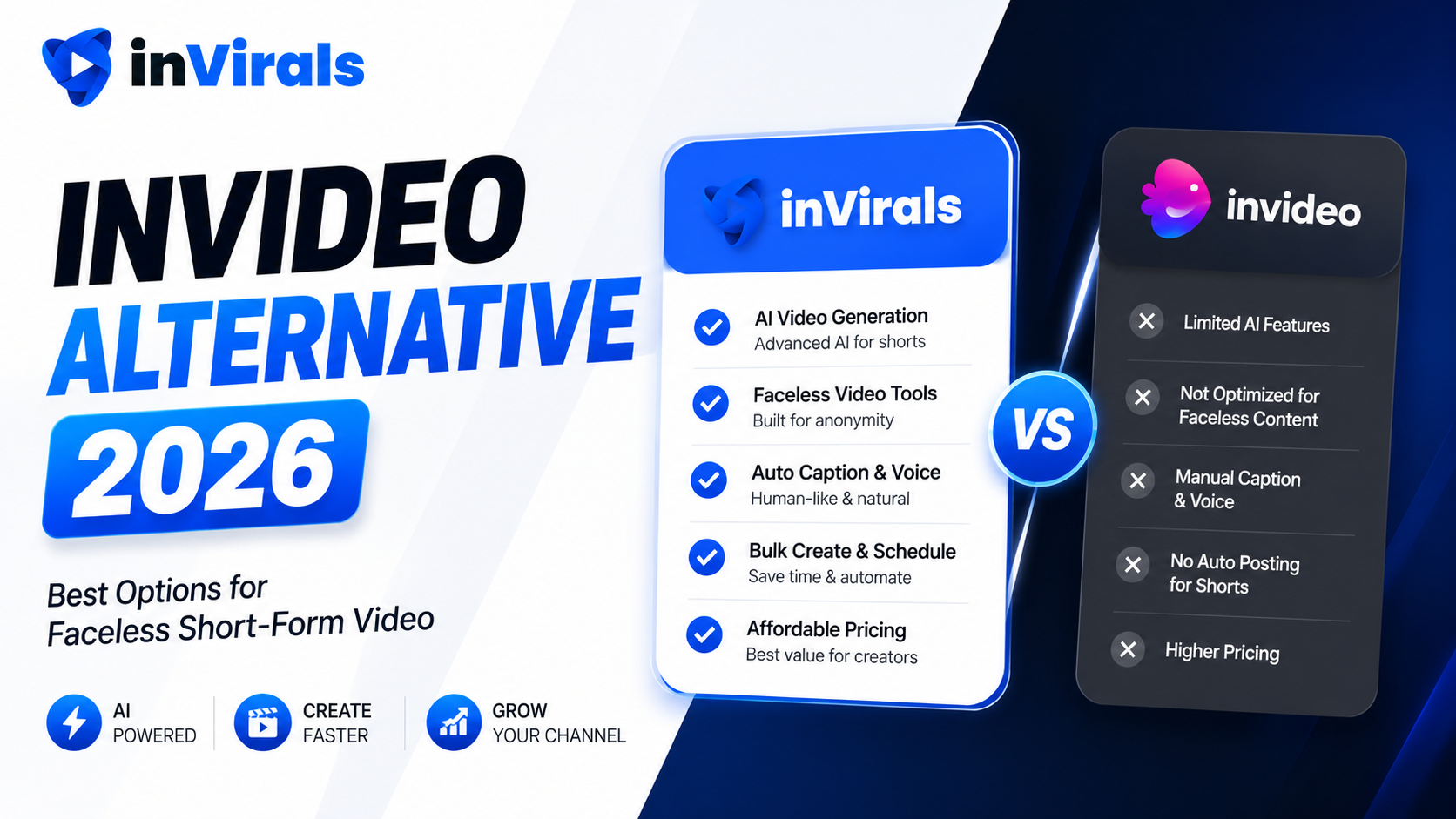
InVideo Alternative 2026: Best Options for Faceless Short-Form Video
InVideo is one of the most recognized AI video tools on the market, and for good reason. It does a lot: text-to-video, template-based editing, stock footage assembly, and AI voiceovers. But being a generalist is also its weakness. If your goal is specifically to build a faceless short-form channel that posts daily to TikTok, YouTube Shorts, and Instagram Reels, you may find InVideo spreads itself too thin. Many creators eventually look for an InVideo alternative that is purpose-built for faceless automation rather than a do-everything editor.
This guide explains exactly why creators outgrow InVideo, what features matter most for short-form faceless content in 2026, and how the leading alternatives compare. By the end you will know which tool fits your workflow and budget, and you will have a clear, low-risk plan for switching if a specialist turns out to be the better fit.
Why creators look for an InVideo alternative
InVideo is genuinely capable, so the reasons people switch are rarely about quality. They are about fit. Here are the most common pain points that send creators searching for something else.
1. It is built for general video, not faceless automation
InVideo handles explainer videos, marketing clips, social posts, and more. That breadth is great for an agency juggling many formats, but it adds friction when all you want is to generate a faceless short from a topic and have it post automatically. Dedicated faceless tools strip away the clutter and optimize for one job: daily short-form output.
2. Limited true automation
InVideo can speed up creation, but it does not natively run a hands-off daily series that generates and publishes content to your channels on a schedule. For faceless creators, automation is the entire point of the exercise. Manually exporting and uploading every video defeats the purpose of running a content machine.
3. Stock-footage look
Many InVideo outputs lean on stock clips stitched behind a voiceover. That can feel generic and recycled, which hurts retention. Tools that generate original AI visuals and consistent characters tend to produce shorts that feel more native to the platform and hold viewers longer, and that retention edge compounds across every video you publish.
4. Pricing that scales awkwardly for volume
When you produce a high volume of short-form content across multiple channels, per-export or credit-heavy pricing models can become expensive. Creators want predictable costs that let them scale output without watching a meter.
What to look for in an InVideo alternative
Before comparing tools, get clear on the criteria that actually matter for faceless short-form success:
- Faceless-first workflow. The tool should be optimized for topic-to-video generation, not buried under general-purpose editing features.
- True auto-posting. A daily series that generates and publishes to TikTok, YouTube, and Instagram without any manual uploads.
- Original AI visuals. Generated images and consistent characters instead of recycled stock footage.
- Realistic voices and languages. A wide voice library across many languages to reach global audiences.
- Built-in editing. Quick caption, timing, and effect adjustments without exporting to a separate app or tool.
- Predictable pricing. Plans that support high volume without surprise per-export costs as you scale.
inVirals vs InVideo: detailed comparison
| Feature | inVirals | InVideo |
|---|---|---|
| Faceless-first workflow | Yes | General purpose |
| Automated daily posting | Yes | No |
| Original AI visuals / characters | Yes | Mostly stock |
| AI script generator | Yes | Yes |
| Built-in editor | Yes | Yes |
| Multi-format (clips, UGC, image-to-video) | Yes | Partial |
| Realistic voices, many languages | 20+ languages | Yes |
| Best for | Faceless channel growth | General video creation |
Why inVirals is the strongest InVideo alternative for faceless creators
Purpose-built for daily faceless output
inVirals is designed around the exact workflow faceless creators need. You enter a topic, the AI writes a hook-first script, generates original visuals in a style of your choice, adds a realistic voiceover, captions, and music, and produces a finished short in under two minutes. There is no wading through generic templates meant for corporate explainer videos, and nothing in the interface is there for a use case you do not have. Every step is shaped around getting a daily faceless short out the door fast.
Real automation, not just faster editing
This is the biggest difference. With inVirals you connect your TikTok, YouTube, and Instagram accounts once and set up a daily series. From then on, the platform generates and publishes new content automatically. Your channel grows while you focus on strategy. InVideo can help you make a video faster, but it still expects you to manage publishing yourself, which means the most repetitive part of the job, uploading every day to every platform, stays on your plate.
Original visuals that hold attention
Instead of relying on stock libraries, inVirals generates original AI images and can maintain consistent characters across a video. That matters because audiences and algorithms both reward content that feels fresh and native. Recycled stock montages are easy to scroll past; original visuals are not. When every faceless creator has access to the same stock library, the videos start to look interchangeable, and interchangeable content is forgettable content. Original generation lets you build a recognizable visual identity that viewers begin to associate with your channel, which is the foundation of turning one-time viewers into followers.
Hook-first scripts, not narrated paragraphs
A generalist tool tends to treat the script as an afterthought, often just reading whatever text you paste in. inVirals builds the script around retention from the start. Its AI video script generator opens with a hook, escalates through the middle, and lands on a loop or payoff, and you can test alternate openings with the AI video hook generator. For faceless short-form, where the first second decides everything, that scripting discipline is often the difference between a video that flops and one that travels.
One subscription, multiple formats
Beyond faceless shorts, inVirals includes an AI clip generator for turning long videos into shorts, UGC ad creation for paid campaigns, and image-to-video. That means your organic content engine and your ad creative live in the same place, and you are not adding a new subscription every time your strategy grows.
Generalist versus specialist: the core trade-off
The deepest way to understand the InVideo question is to recognize it as a generalist-versus-specialist decision, which shows up in almost every category of software. A generalist tool covers many use cases adequately. A specialist tool covers one use case exceptionally. InVideo is a capable generalist: marketing videos, explainers, social posts, slideshows, and more all live under one roof. That breadth is genuinely valuable for an agency or marketing team that produces many different formats and wants one tool for all of them.
But faceless short-form growth is not a "many formats" job. It is one job done at high volume and high consistency: generate a hook-driven vertical short and publish it daily. For that single job, a specialist that strips away everything irrelevant and optimizes the entire workflow around daily faceless output will almost always outperform a generalist. You feel the difference in small frictions that add up over hundreds of videos: fewer menus to navigate, no templates designed for corporate explainers, faster renders tuned for short-form, and automation built for the exact posting rhythm faceless channels need. If your goal is a faceless channel, a specialist AI faceless video generator is the better fit by design.
Speed and volume at scale
Daily posting across three platforms means producing roughly 90 videos a month. At that volume, render speed stops being a minor detail and becomes a core constraint on your workflow. A tool that produces a publish-ready short in under two minutes turns a batch session into a quick task; a generalist that takes several minutes per export, because it is processing through a heavier general-purpose pipeline, can turn the same batch into an afternoon. inVirals is tuned specifically for short-form throughput, which is exactly what you need when consistency is the whole game. The faster you can generate, quality-check, and schedule, the more time you have for the strategy and testing that actually grow a channel.
Format range: one subscription, many content types
While InVideo spreads across general video types, inVirals concentrates on the formats a growing faceless creator actually uses, and bundles them together. Beyond the core faceless series, you get tools that map directly to real growth strategies.
| Need | inVirals tool |
|---|---|
| Daily faceless shorts | Faceless video generator and series automation |
| Repurpose long videos | AI clip generator |
| Paid ad creative | UGC ads |
| Animate still images | Image-to-video |
| Platform-specific shorts | TikTok and YouTube Shorts generators |
The practical benefit is that your organic content engine and your paid ad creative live in the same account, so you are not paying for, or learning, separate tools as your strategy expands.
Pricing and value compared
Compare cost the right way: not by the headline monthly price, but by cost per published video at your real frequency, plus the cost of any extra tools you would need to cover formats a generalist handles awkwardly. Credit-heavy or per-export pricing can become expensive at high volume, which is a common reason volume-focused creators look for an alternative. A predictable plan that supports daily output without metering each video tends to win for faceless creators. Check the pricing against your monthly output goal rather than the front-page number, and factor in that an all-in-one tool can replace several single-purpose subscriptions.
Pros and cons at a glance
inVirals
Pros: purpose-built for faceless short-form, true daily auto-posting, original AI visuals and consistent characters, hook-first scripts, realistic voices in 20+ languages, built-in editor, and multiple formats including clips, UGC ads, and image-to-video in one subscription. Cons: not designed for general corporate or marketing video production.
InVideo
Pros: broad general-purpose video creation, deep template library, strong for marketing and explainer content. Cons: no native automated faceless posting, leans on stock footage, and the breadth adds friction for creators who only want daily faceless output.
Mistakes to avoid when switching tools
- Choosing on brand recognition alone. InVideo is well known, but name recognition does not mean it fits a faceless workflow. Match the tool to the specific job.
- Overlooking automation. A tool that only speeds up creation still leaves you uploading by hand every day. True auto-posting is the feature that changes your time commitment.
- Ignoring visual originality. Stock-heavy output blends in. Prioritize a tool that generates original visuals if you want a recognizable channel.
- Comparing only headline prices. Factor in render speed at volume and the number of separate tools an all-in-one platform replaces.
- Changing too much at once. Recreate your single best series first, prove it performs, then expand into new formats.
A side-by-side workflow comparison
Picture the same task in both tools: publish a faceless short to TikTok, YouTube, and Instagram every day for a month. In a generalist workflow you open the tool, pick or build a template, assemble visuals from a stock library, add a voiceover, export, then manually upload to each of the three platforms with titles and hashtags written by hand. Repeat 30 times, and the manual uploading alone consumes hours. In a specialist workflow you set up a daily series once: choose niche, style, and voice, connect your channels, and the platform writes a hook-first script, generates original visuals, voices it, captions it, and publishes to all three platforms automatically each day. Your monthly involvement drops to a quick quality check and a weekly analytics review. Same output goal, dramatically different effort, and that gap is the entire reason faceless creators migrate.
When InVideo is still the right choice
To be fair, InVideo is a strong tool for certain users. If you run an agency that produces many different video types, need a deep template library for marketing videos, or do not care about automated faceless posting, InVideo remains a solid generalist. The alternative conversation matters most when your focus narrows to faceless short-form growth and automation.
How to switch from InVideo to inVirals
- Sign up at invirals.com and pick a plan that matches your output goals.
- Connect your channels — authorize TikTok, YouTube, and Instagram.
- Choose a niche and style — set your topic, visual style, and voice.
- Create a daily series — set the posting time and activate.
- Quality-check the first few videos, then let the automation run.
Within minutes you move from manually exporting videos in InVideo to running an automated faceless content machine. There is nothing to migrate in a technical sense, because your audience lives on the platforms, not inside the tool. The smoothest approach is to recreate your single best-performing series first, confirm the output holds up over a few days, and then layer in additional formats and a second series once you are confident.
The bottom line
InVideo is a capable generalist, but faceless short-form creators need a specialist. If you want a tool built specifically for daily faceless output, with original AI visuals, realistic voices, multiple content formats, and true auto-posting, inVirals is the strongest InVideo alternative in 2026. The choice comes down to fit: a generalist serves teams making many video types, while a specialist serves creators who want one job, faceless growth, done at volume with as little friction as possible. Start creating with inVirals and put your faceless channel on autopilot today.
Matching the tool to your stage of growth
The right answer to the InVideo question often depends less on features and more on where you are in your journey. A brand new creator with no audience and no footage needs a tool that can generate finished faceless shorts from nothing but a topic, and that can publish them automatically while they learn what works. A growing channel needs render speed and format range so it can scale output and test new ideas without friction. An established creator with a back catalog of long content also needs clipping, and ideally an AI Reels generator to push the same work to every platform. A generalist editor like InVideo serves none of these stages perfectly, because it was built for a different job entirely: producing varied marketing and explainer videos for teams.
This is why fit beats brand recognition. The specialist advantage is not a single killer feature; it is the accumulation of small efficiencies at every stage, from a faster first video for the beginner to true daily automation for the scaler to bundled clipping and a general AI video generator for the established creator. When the tool grows with you across all three stages, you avoid the costly cycle of switching platforms every time your strategy matures, which is exactly the cycle that sends so many creators searching for an InVideo alternative in the first place.
Frequently asked questions
Is inVirals better than InVideo?
For faceless short-form creators who want automation and original AI visuals, yes. InVideo is a better fit for agencies producing many general video types. The right choice depends on your specific use case.
Does inVirals auto-post like InVideo cannot?
Yes. inVirals connects directly to your TikTok, YouTube, and Instagram accounts and publishes a daily series automatically, which is something InVideo does not natively offer.
Can I create more than faceless shorts with inVirals?
Yes. Beyond faceless videos, inVirals includes an AI clip generator, UGC ad creation, and image-to-video, all in one subscription.
Is inVirals good for beginners?
Yes. It is fully no-code. You enter a topic, choose a style and voice, and the platform handles the rest, making it accessible even if you have never edited a video.
Why do faceless creators outgrow InVideo specifically?
InVideo is a generalist built for many video types. Faceless short-form is one job done at high volume, and a specialist tool optimized for daily faceless output removes the friction of navigating features meant for corporate explainers and marketing videos. The mismatch is about fit, not quality.
Does inVirals use stock footage like InVideo?
inVirals generates original AI visuals and can keep characters consistent across a video, rather than stitching together stock clips. Original visuals tend to feel more native to short-form feeds and hold attention better than recycled stock.
Can I move my existing workflow over without starting from scratch?
Yes. Sign up, connect your channels, set your niche, style, and voice, and create a daily series. Within minutes you move from manually exporting videos to running an automated faceless content machine.
Does inVirals support multiple languages?
Yes. It offers realistic voices in 20+ languages, which lets you reach audiences that English-only creators tend to overlook and run parallel series in different languages.