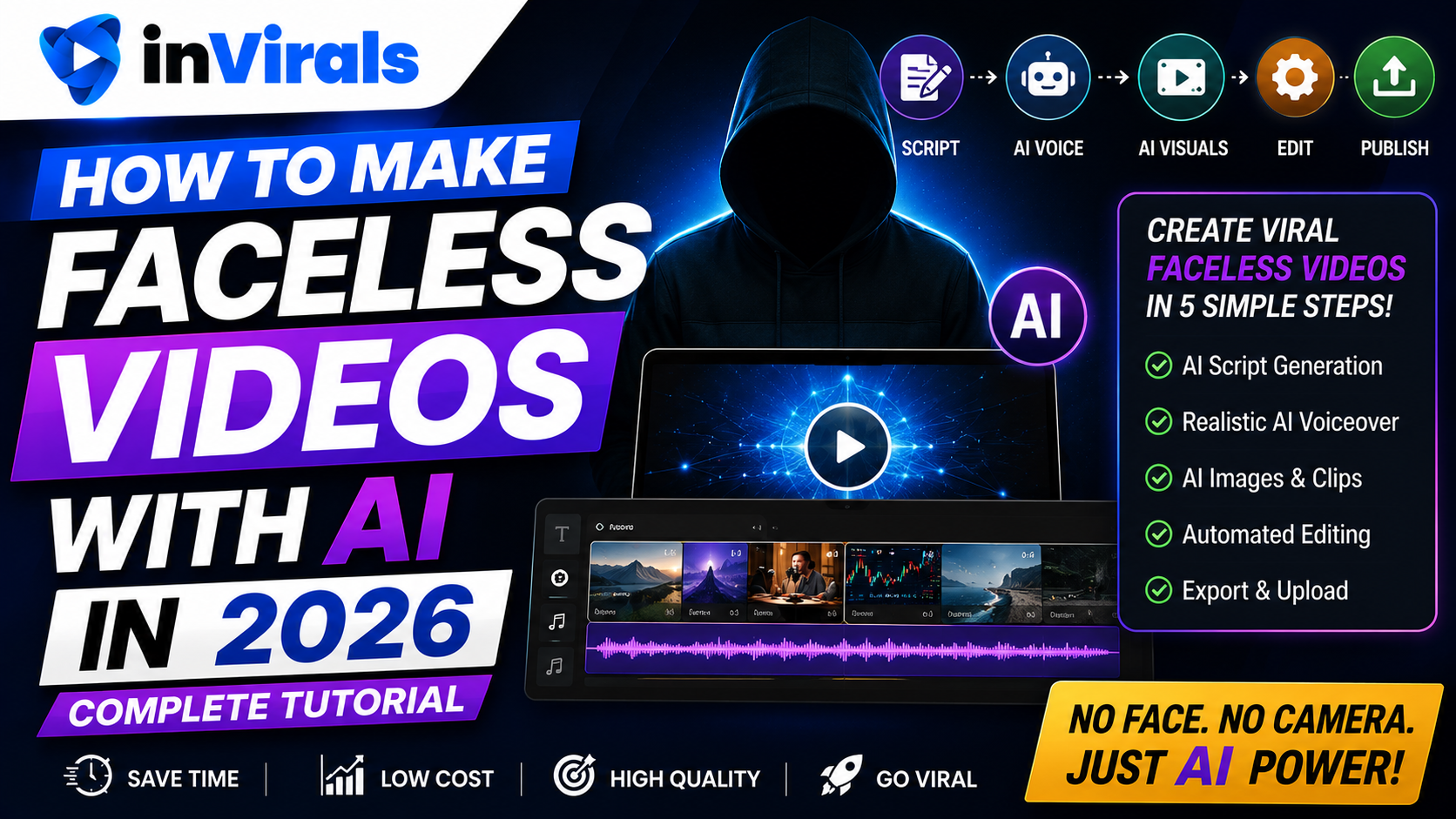
How to Make Faceless Videos with AI in 2026 (Complete Tutorial)
Faceless videos are short or long videos where the creator never appears on screen. Instead of filming yourself, you use AI to generate the script, visuals, voiceover, captions, and music. In 2026, this is one of the most accessible ways to build an audience and earn income online, because the tools have advanced to the point where a complete, professional-looking video can be produced from a single sentence. This tutorial walks you through the entire process, step by step, with no camera, microphone, or editing experience required.
By the end of this guide you will understand the full faceless workflow: how to pick a niche that can sustain hundreds of videos, how to write hooks that stop the scroll, how to choose visual styles that look native rather than generic, how to layer in voice and captions, and how to automate publishing so the channel keeps growing while you sleep. We will also cover the mistakes that quietly kill most faceless channels and how to avoid them from day one.
Why faceless videos work so well in 2026
Before the how-to, it helps to understand why this format is exploding:
- No on-camera pressure. You never have to show your face, record your voice, or set up lighting.
- Infinitely scalable. AI can produce unlimited content from endless topics.
- Low cost. One software subscription replaces a camera, editor, and voice actor.
- Platform-friendly. Faceless content performs well on TikTok, YouTube Shorts, and Instagram Reels.
- Monetizable. Ad revenue, affiliates, sponsorships, and digital products all work with faceless channels.
There is also a deeper structural reason faceless content is thriving. Short-form algorithms distribute videos based on performance signals, not on who made them or whether a human appears on camera. A faceless motivation clip and a creator's selfie video compete on the same terms: watch time, completion rate, shares, and rewatches. That levels the playing field. A first-time creator with no following can out-perform an established personality simply by producing a tighter hook and a more satisfying payoff. AI lets you produce that quality at volume, which is exactly what the algorithms reward.
Faceless channels are also resilient as businesses. Because the brand is not tied to your personal identity, you can run several channels in different niches at once, hand production to a small team, or even sell a channel later as an asset. A personal brand built on your face cannot be transferred; a faceless brand built on a repeatable system can.
What you need to get started
The beauty of faceless AI video is how little you need:
- An AI faceless video tool such as inVirals.
- A niche or topic idea.
- Social accounts to publish to (TikTok, YouTube, Instagram).
That is it. No equipment, no studio, no editing software. The reason a dedicated tool matters is that faceless video involves five separate production tasks: scripting, visual generation, voice synthesis, captioning, and publishing. Stitching together five different apps is slow and error-prone. An all-in-one platform like the inVirals faceless video generator collapses all of those steps into one workflow, which is what makes daily output realistic for a single person.
Step 1: Choose your topic or niche
Every faceless video starts with an idea. If you are building a channel, pick a niche you can produce endless topics for: motivation, history, science, true crime, finance, horror stories, or educational content. For a single video, simply decide what it is about, for example, "three psychology tricks that build confidence."
Tip: The strongest faceless niches combine broad appeal with infinite topic supply. If you can brainstorm 30 video ideas quickly, the niche has legs.
When evaluating a niche, run it through three filters. First, topic supply: can you realistically produce a new video every day for six months without repeating yourself? History, psychology, and "fun facts" niches pass easily; a niche about a single product does not. Second, visual feasibility: can the topic be illustrated with AI-generated imagery, b-roll, or text on screen? Abstract finance concepts work great; topics that require showing a specific real person performing a specific real action are harder. Third, monetization path: is there a way for this audience to make you money later, whether through ad revenue, affiliate products, or your own digital products?
High-performing faceless niches and why they work
| Niche | Why it works faceless | Typical monetization |
|---|---|---|
| Motivation | Cinematic visuals plus narration, no face needed | Ad revenue, courses, merch |
| History & mysteries | Archival-style and AI imagery carry the story | Ad revenue, sponsorships |
| Psychology & self-improvement | Curiosity-driven, easy to script | Affiliate books, courses |
| Finance & money | Graphics and b-roll over narration | High-CPM ads, affiliates |
| Scary stories | Dark visuals and eerie voice drive shares | Ad revenue, memberships |
| Science & space | Visual-first, broad appeal | Ad revenue, sponsorships |
Step 2: Generate a script with AI
The script is the backbone of your video. A good faceless script opens with a strong hook in the first second, delivers value or story in the middle, and ends with a loop or call to action. With inVirals, you enter your topic and the AI script generator writes a hook-first script optimized for retention. You can refine it, shorten it, or regenerate until it feels right.
If you want to understand what makes a hook work, the best openings use curiosity ("The reason X happens is..."), bold claims ("Most people get this completely wrong..."), or pattern interrupts ("Scientists just discovered something disturbing...").
A reliable structure for a 30 to 45 second faceless short looks like this:
- Hook (0–2s): One sentence that creates an open loop the viewer needs closed.
- Setup (2–8s): Quickly establish the context or stakes so the payoff makes sense.
- Payoff / value (8–35s): Deliver the facts, story beats, or steps in tight, punchy lines.
- Loop or CTA (35–45s): End on a line that either loops back to the hook or invites a follow.
Keep sentences short. Spoken-word pacing is faster than written prose, and every unnecessary word is a chance for the viewer to scroll. If you are scripting at volume, the AI video script generator can draft dozens of variations quickly, and the AI hook generator is useful for testing five or six different openings on the same body so you can see which framing performs best.
Step 3: Choose a visual style
This is where faceless videos either look native or look generic. Modern AI tools generate original visuals rather than recycling stock footage. inVirals offers trending styles including cinematic, anime, documentary, comic, and more. Pick the style that fits your niche, dark and atmospheric for horror, clean and cinematic for motivation, illustrated comic for storytelling.
Consistency is what turns a string of clips into a recognizable brand. Lock in one visual style, one caption font, and one color treatment, then apply it to every video. When a viewer sees three of your clips in a week, that visual consistency is what makes them recognize you and follow. If your niche benefits from generating footage from written descriptions, the text-to-video approach lets you turn each script line into a matching visual without sourcing any footage yourself.
Step 4: Add an AI voiceover
The voice carries the emotion of your video. inVirals provides realistic AI voices in 20+ languages, so you can match the tone to your content, authoritative for documentaries, energetic for motivation, or calm for educational pieces. You can also reach non-English audiences that most creators ignore, opening up less competitive markets.
Voice choice is not cosmetic; it directly affects retention. A voice that is too fast feels frantic and viewers bail; one that is too slow loses them to boredom. Match the cadence to the niche: brisk and punchy for facts and motivation, slower and deliberate for suspense and storytelling. Test two voices on the same script and watch both back to back. The right voice often lifts completion rate more than any visual change.
Step 5: Captions, music, and effects
Most short-form video is watched on mute initially, so captions are essential. inVirals generates synced captions automatically, and you can style them to match trending formats. Background music sets the mood, choose from a large library sorted by feel. Subtle animation and transitions boost watch time without being distracting.
For captions, favor large, high-contrast text with one or two words highlighted as they are spoken. This "active caption" style keeps the eye moving and is strongly associated with high-retention shorts. For music, keep it underneath the voice, around 15 to 20 percent volume, so it adds mood without competing with the narration. Avoid heavy transitions every cut; a clean hard cut every two to four seconds usually outperforms flashy effects because it keeps pacing tight without distracting from the message.
Step 6: Generate and review
With the script, style, voice, captions, and music set, generate the video. In under two minutes you have a finished short. Watch it once: does the hook grab attention immediately? Are the captions accurate? Does the pacing feel native? If anything needs adjusting, use the built-in editor to tweak captions, timing, or effects without exporting to another app.
Build a quick review checklist and run every video through it before publishing:
- Does the first second make me want to keep watching?
- Are there any dead spots where the energy drops?
- Are captions accurate, readable, and not blocking key visuals?
- Does the ending loop cleanly or prompt a clear next action?
- Is the video under 60 seconds?
Step 7: Publish and automate
You can post manually, but the real power of faceless video is automation. Connect your TikTok, YouTube, and Instagram accounts to inVirals and set up a daily series. From then on, the platform generates and posts fresh content automatically. You move from making videos one at a time to running a content machine.
Automation is also what makes the math work. Posting one video a week, it can take a year to find traction. Posting one to three videos a day, you gather enough data in a few weeks to see which hooks, niches, and styles resonate, then double down on the winners. The bottleneck in growth is rarely talent; it is volume and iteration, and automation removes the volume problem entirely.
A realistic daily workflow
- Open inVirals and enter today's topic (or let AI suggest trending ones).
- Generate the script, visuals, voice, captions, and music.
- Review and make small edits if needed.
- Let the daily series auto-post to all platforms.
Total active time: 5 to 15 minutes per day. Everything else is automated. A practical weekly rhythm might look like this: spend Monday batching ten topic ideas, let the series generate and post throughout the week, then spend 15 minutes each Sunday reviewing analytics to decide what to make more of. That is the entire job once the system is running.
Common mistakes to avoid
- Weak hooks. If the first second is boring, nothing else matters. Always lead with curiosity or a bold claim.
- Generic stock visuals. Use original AI visuals to stand out from the thousands of recycled-footage videos.
- Inconsistency. Post daily. The algorithm rewards frequency, and AI makes daily output realistic.
- Videos too long. Keep shorts under 60 seconds for maximum looping and retention.
- Switching niches too soon. Give a niche at least 30 to 50 videos before judging it. Many creators quit right before traction.
- Ignoring the data. If a format gets twice the completion rate, make more of it instead of chasing novelty.
How faceless AI video compares to traditional content creation
| Factor | Traditional filming | Faceless AI video |
|---|---|---|
| Equipment cost | Camera, lights, mic, editing software | One subscription |
| Time per video | Hours of filming and editing | Minutes to generate |
| On-camera skill | Required | Not needed |
| Daily output | Hard to sustain solo | Realistic with automation |
| Privacy | Identity exposed | Fully anonymous |
| Scalability | Limited by your time | Multiple channels possible |
The takeaway is not that AI video is always better, it is that it removes the production bottleneck that stops most people from ever posting consistently. If you have wanted to start a channel but never had the time, equipment, or confidence, faceless AI video removes every one of those barriers. If you are deciding which tool to commit to, comparing the pricing against how many videos you actually plan to publish each month is the fastest way to judge value.
Scaling beyond your first channel
Once your first faceless channel is running on automation, a second one costs you almost nothing but a little setup time, and this is where faceless content becomes genuinely scalable. Because no channel depends on your face or voice, you can run several in parallel across different niches, each with its own daily series. Many creators treat their first channel as a learning project, then apply everything they learned, which hooks work, which posting times perform, which visual style retains best, to launch the next one far more effectively.
The smart approach is sequential, not simultaneous. Get one channel to consistent traction first so you understand what "working" looks like, then clone the system into a new niche using the YouTube Shorts generator or the Reels generator depending on where you want to grow. Two or three automated faceless channels, each posting daily, is a realistic one-person operation in 2026, and it diversifies your growth so a slowdown on one platform or niche does not stall everything at once.
The bottom line
Making faceless videos with AI in 2026 is simpler than ever: pick a topic, generate a script, choose a style and voice, add captions and music, then publish and automate. No camera, no editing skills, no on-camera confidence required. The only real ingredient is consistency. Start making faceless videos with inVirals and create your first one in minutes.
Frequently asked questions
Do I need any equipment to make faceless videos?
No. You only need an AI video tool like inVirals. No camera, microphone, or editing software is required.
How long does it take to make one faceless video?
With AI, a complete short can be generated in under two minutes, plus a few minutes for review and minor edits.
Can I make faceless videos in languages other than English?
Yes. inVirals offers realistic AI voices in 20+ languages, letting you target global and less competitive audiences.
Is it really possible to grow without showing my face?
Absolutely. Many of the fastest-growing channels in 2026 are faceless, spanning motivation, history, true crime, and educational niches.
How many faceless videos should I post to see results?
Treat your first 30 to 50 videos as data collection. Posting daily, that is roughly one to two months. Most channels that fail simply quit before they have enough videos to find what resonates.
Are faceless AI videos monetizable?
Yes. Once you meet platform requirements you can earn through ad revenue, and at any audience size you can layer in affiliate marketing, sponsorships, and your own digital products. Because the brand is not tied to your identity, a faceless channel can even be sold later as an asset.
Will viewers be put off that the videos are AI-generated?
Audiences respond to value and entertainment, not production method. If the hook is strong and the payoff is satisfying, viewers watch, share, and follow regardless of how the video was made.