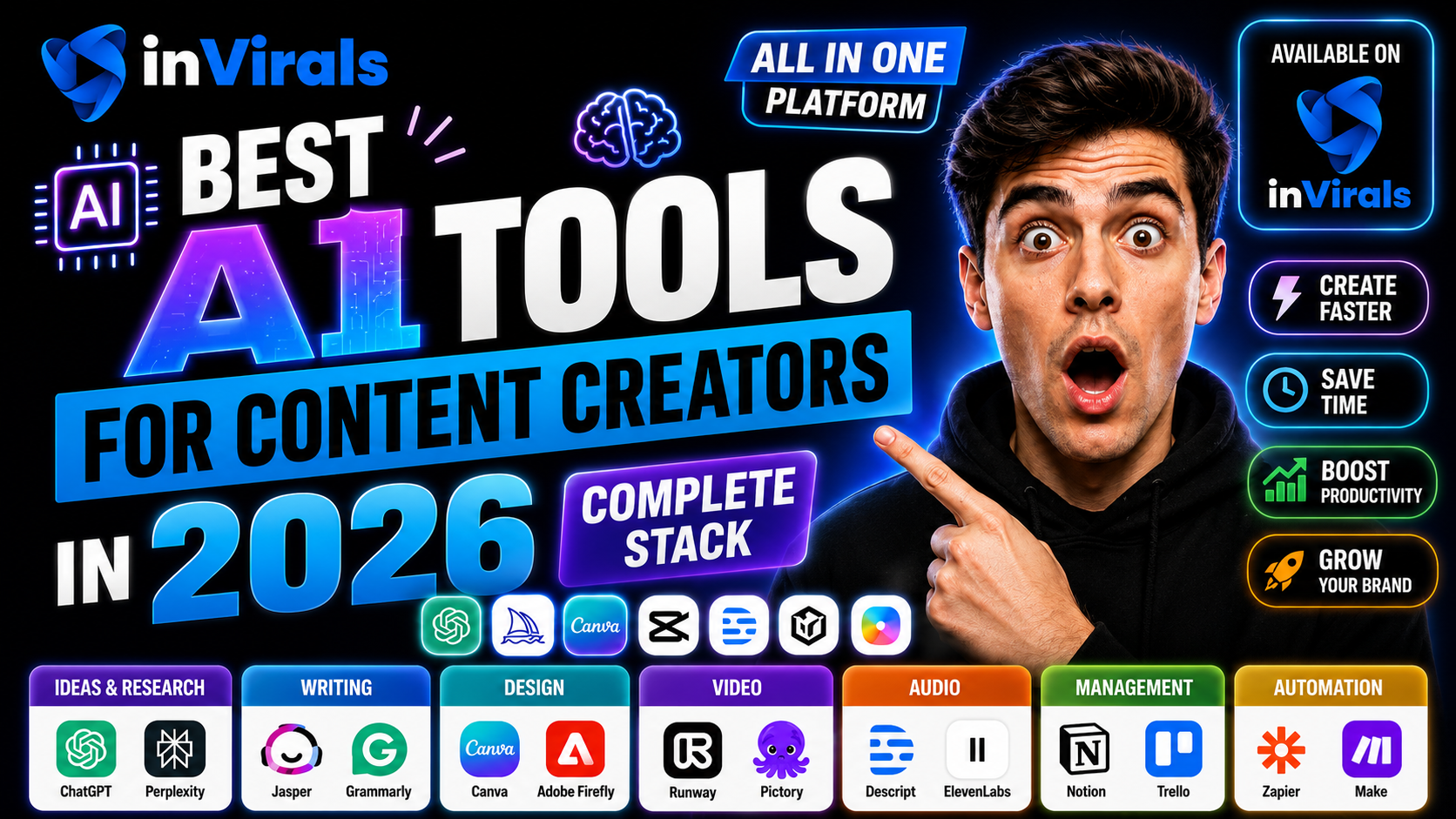
Best AI Tools for Content Creators in 2026 (Complete Stack)
Content creation in 2026 is an AI-assisted process from start to finish. The creators producing the most content with the least effort are not working harder; they are using a smart stack of AI tools that handle ideation, scripting, video, voices, thumbnails, and distribution. The challenge is that there are hundreds of tools, and most do one small thing. This guide breaks down the best AI tools for content creators by category, and shows where an all-in-one platform can replace half your stack.
How to think about your creator stack
A complete content workflow has six stages. Your goal is to cover each with the fewest, most capable tools:
- Ideation — finding topics and trends.
- Scripting — writing hook-first scripts.
- Video creation — generating or editing footage.
- Voice — narration.
- Thumbnails and graphics — for long-form and posts.
- Distribution — posting and scheduling.
Category 1: All-in-one video creation
inVirals (top pick for video creators)
inVirals covers the largest share of the stack in one place. It handles scripting, faceless video generation, AI voices in 20+ languages, captions, music, a built-in editor, an AI clip generator, UGC ads, image-to-video, and automated multi-platform posting. For short-form and faceless creators, it replaces several separate subscriptions.
Category 2: Scriptwriting
For scripts, a purpose-built generator beats a general chatbot. inVirals includes an AI script generator tuned for short-form formats. If you want a standalone writing assistant for long-form blog content too, a general LLM can complement it.
Category 3: Voice generation
Realistic AI voices are essential for faceless content. inVirals includes 80+ voices in 20+ languages built in, so most creators do not need a separate voice tool. Dedicated voice platforms exist for niche needs like voice cloning.
Category 4: Thumbnails and graphics
For long-form YouTube, thumbnails are critical. AI image generators help you create eye-catching thumbnails and channel art quickly. Pair these with strong title testing for best results.
Category 5: Research and optimization
Tools that surface trending topics and keyword opportunities help you decide what to make. Use these for ideation, then feed the topics into your video tool to produce the content.
Category 6: Scheduling and distribution
Posting consistently across platforms is a job in itself. inVirals automates this with daily series that publish to TikTok, YouTube, and Instagram, eliminating the need for a separate scheduler for short-form.
The hidden cost of tool sprawl
It is easy to underestimate what a fragmented stack actually costs. The obvious cost is money — five separate subscriptions add up fast, and many creators end up paying for overlapping features they never fully use. But the bigger cost is time and mental overhead. Every time you move a project from a script tool to a video tool to a voice tool to an editor, you export, import, wait for uploads, and re-check formatting. Each handoff is a chance for quality to drift and for small errors to creep in. Multiply that friction across daily posting and it becomes the difference between publishing consistently and quietly burning out.
There is also a subtler cost: context-switching drains focus. Jumping between five interfaces, each with its own quirks and login, fragments your attention and slows you down more than the raw task time suggests. Consolidating the core of your workflow into one platform is not just about saving subscription dollars — it is about protecting the consistency that actually grows a channel. The fewer seams in your pipeline, the more reliably it runs unattended.
A closer look at each stage of the stack
Ideation tools
Before anything else, you need to know what to make. Trend-spotting and keyword tools surface what audiences are searching for and which topics are heating up in your niche. The goal at this stage is a steady supply of validated topics, not perfection. Many creators keep a simple running list fed by these tools, then pull from it during batch production. Good ideation prevents the most common failure mode: staring at a blank screen wondering what to post.
Scriptwriting tools
A purpose-built script generator beats a general chatbot for video because it understands hook-first structure, pacing, and length constraints. The output should open with a scroll-stopping line and stay within a spoken-word budget that matches your target duration. An AI video script generator tuned for short-form removes most of the manual rewriting, leaving you to sharpen the hook and trim filler.
Video generation tools
This is the heaviest stage, and where the biggest time savings live. Modern tools turn a script or even a single topic into a finished, captioned, voiced video with original visuals. For faceless creators, an AI faceless video generator handles the entire production without a camera. For repurposing static assets, an image-to-video tool animates images into motion, and a text-to-video workflow turns written content directly into clips.
Voice tools
Realistic narration is essential for faceless content. The best platforms include a wide library of natural voices across many languages, so you can match the voice to the mood — deep and slow for mystery, upbeat for facts. Voice cloning exists for advanced needs, but most creators are well served by a strong built-in voice library that requires no separate subscription.
Thumbnail and graphics tools
For long-form YouTube, the thumbnail often decides the click. AI image generators produce eye-catching thumbnails and channel art quickly, and pairing strong thumbnails with tested titles lifts click-through more than almost any other single change. Short-form needs this less, since the first frame of the video acts as the thumbnail.
Distribution tools
Posting consistently across platforms is its own job. Scheduling and auto-posting tools — or an all-in-one platform with a built-in daily series — remove the daily upload chore and ensure content publishes at peak times. For short-form creators, native auto-posting to TikTok, YouTube, and Instagram is the feature that makes true automation possible.
Repurposing and clipping: the multiplier stage
One stage creators often overlook is repurposing. A single long video can become a dozen shorts, and a single short can be reframed for multiple platforms. An AI clip generator automatically finds the most engaging moments in long footage and cuts them into vertical shorts, multiplying your output without new production. For creators running ads or selling products, a UGC ads tool generates authentic-style promotional videos at scale. Building repurposing into your stack is what turns one piece of content into a week of posts.
Free versus paid AI tools: where to spend
Plenty of free AI tools exist, and they have their place — but knowing where free is fine and where paid earns its keep saves both money and frustration. Free general chatbots are perfectly good for brainstorming topics and rough script drafts. Free image tools can handle occasional thumbnails. Where free tends to fall short is in the heavy, repetitive core of the workflow: generating finished videos at volume, producing realistic voices without limits, and auto-posting on a schedule. These are the stages where paid tools pay for themselves, because they remove hours of manual work every week.
The practical approach is to spend where the leverage is highest. For a faceless creator, the highest-leverage spend is the core video-and-posting platform, because it compresses the most labor. Supporting tasks — research, the occasional thumbnail — can often run on free or low-cost tools. Avoid the trap of paying for many overlapping mid-tier subscriptions; one strong core platform plus a couple of free helpers beats five half-used paid apps.
| Task | Free is fine | Paid is worth it |
|---|---|---|
| Topic brainstorming | Yes | Optional |
| Rough script drafts | Yes | For volume and hooks |
| Video generation at scale | Limited | Yes |
| Realistic voices | Limited | Yes |
| Auto-posting / series | Rare | Yes |
| Occasional thumbnails | Yes | Optional |
When specialized tools are worth it
All-in-one platforms cover most needs, but there are genuine cases where a specialist earns a place in your stack. If you need precise voice cloning of a specific voice, a dedicated voice platform may outperform a built-in library. If you produce cinematic long-form that demands frame-level editing, a professional editor offers control no generalist matches. If your business runs paid advertising at scale, a specialized ad-creative tool may justify itself. The test is simple: a specialist is worth it only when it does something your core platform cannot, and that something is central to your work. Adding specialists for capabilities you rarely use is how stacks bloat and budgets leak.
For the vast majority of faceless short-form creators, though, the specialist need never arises. The core workflow — script, video, voice, captions, posting — is exactly what all-in-one platforms are built to handle, which is why consolidating there and adding specialists only on proven need is the most cost-effective strategy. A platform that already bundles a script generator, an AI video generator, voices, and auto-posting removes most reasons to shop around.
Building a stack as you grow
Your stack should evolve with your channel, not start maxed out. In the beginning, keep it minimal: one core platform and free helpers. This keeps costs near zero while you validate your niche and learn what works. As the channel earns, reinvest into the capabilities that unlock more output — higher generation volume, repurposing tools to multiply content, or a thumbnail tool once you add long-form. Let revenue, not hype, drive each addition. The creators who stay profitable treat tools as investments measured against the time or income they return, adding them deliberately rather than collecting every shiny new app that launches.
The minimalist creator stack
You do not need 15 tools. Here is a lean, powerful stack for a faceless short-form creator in 2026:
| Need | Tool |
|---|---|
| Video, scripts, voices, captions, posting | inVirals (all-in-one) |
| Topic research | A keyword/trend tool |
| Thumbnails (for long-form) | An AI image tool |
That is it. One core platform plus two supporting tools covers the entire workflow for most creators.
Why all-in-one beats a fragmented stack
- Lower cost. One subscription instead of five.
- Less friction. No exporting and importing between apps.
- Faster output. Everything happens in one workflow.
- Consistency. Voices, styles, and captions stay unified.
How to evaluate any AI creator tool
New tools launch constantly, and most are not worth your money. Before adding anything to your stack, run it through a short checklist. Does it replace a tool you already pay for, or just duplicate one? Does it fit cleanly into your existing workflow, or add another export-import seam? Is the output quality genuinely usable without heavy fixing? Does it save meaningful time, or just feel novel? And does the pricing scale with your actual usage rather than locking you into a tier you will not fill?
| Criterion | Question to ask |
|---|---|
| Coverage | How many stages of my workflow does it handle? |
| Output quality | Is the result usable with light editing? |
| Automation | Can it post or batch, or is it manual? |
| Integration | Does it reduce or add handoffs between apps? |
| Value | Does the price match how much I will actually use it? |
Tools that score well on coverage and integration earn their place; tools that only add a single narrow feature usually do not justify another subscription and another login. When in doubt, prefer consolidation over collection. If you are comparing plans, the inVirals pricing page shows how much production volume each tier supports, which is the number that actually matters once you post daily.
How to build your stack step by step
- Start with a core video platform like inVirals that covers creation and posting.
- Add a research tool to decide what to make.
- Add a thumbnail tool only if you do long-form.
- Resist tool overload, more apps means more friction, not more output.
A sample workflow from idea to published video
To see how a lean stack works in practice, follow one video through it. You begin in your research tool, where a trending topic in your niche catches your eye, and you add it to your running list. During your weekly batch session, you open your core platform, enter the topic, and let it write a hook-first script. You review the opening line, sharpen it, and trim any filler. The platform then generates original visuals, applies a natural voice that matches your niche's tone, and burns in captions automatically. You pick a visual style, give the draft a final look, and add it to your daily series queue. If you also run long-form, you generate a thumbnail in your image tool. Then you move to the next topic and repeat.
What stands out is how few tools and how little switching this involves. The heavy lifting — script, visuals, voice, captions, posting — happens in one place, so the whole video goes from idea to scheduled in minutes rather than hours. This is the entire argument for a consolidated stack: not that any single feature is revolutionary, but that removing the seams between stages compresses a multi-hour, multi-app ordeal into one smooth pass. Multiply that efficiency across daily posting and it becomes the difference between a channel you sustain and one you abandon.
Future-proofing your creator stack
AI tools evolve fast, and the temptation is to chase every new release. Resist it. The smarter move is to anchor on a platform that ships improvements continuously, so your core workflow gets better without you migrating between apps. Judge a tool not only by what it does today but by how actively it adds capabilities — voices, visual styles, new formats, more platforms. A platform that keeps expanding what it covers protects you from the constant churn of assembling and reassembling a fragmented stack every few months.
The bottom line
The best AI tools for content creators in 2026 are the ones that cover the most of your workflow with the least friction. An all-in-one platform like inVirals handles scripting, video, voices, captions, and posting, leaving you only a research tool and maybe a thumbnail maker to add. Build lean, produce more, and let AI do the heavy lifting. Start building your creator stack with inVirals today.
Frequently asked questions
What is the best all-in-one AI tool for creators?
For short-form and faceless video, inVirals covers scripting, generation, voices, captions, clipping, and posting in one platform, replacing several separate tools.
Do I need separate tools for scripts and voices?
Not necessarily. inVirals includes both an AI script generator and AI voices, so most creators can avoid extra subscriptions.
How many AI tools do I really need?
Most faceless creators need just a core video platform, a research tool, and optionally a thumbnail maker. Avoid tool overload.
Is an all-in-one tool better than separate specialized tools?
For most creators, yes, because it lowers cost, reduces friction, and keeps the workflow consistent. Specialists only make sense for advanced niche needs.
How do I evaluate whether a new AI tool is worth adding?
Check whether it replaces something you already pay for, integrates without adding export-import steps, produces usable output, saves real time, and is priced to match your actual usage. If it only adds one narrow feature, it usually is not worth another subscription.
What is the biggest hidden cost of using many tools?
Time and focus, not just money. Every handoff between apps adds friction and a chance for errors, and constant context-switching slows you down. Consolidating your core workflow protects the consistency that grows a channel.
Do I need a clipping or repurposing tool?
If you produce any long-form content, yes. A clip generator turns one long video into many shorts automatically, multiplying your output without new production. It is one of the highest-leverage additions to a creator stack.
Can one platform really handle scripts, video, voice, and posting?
Yes. Platforms like inVirals combine scripting, faceless video generation, voices, captions, clipping, and multi-platform auto-posting in one workflow, which is why they replace several separate subscriptions for most short-form creators.