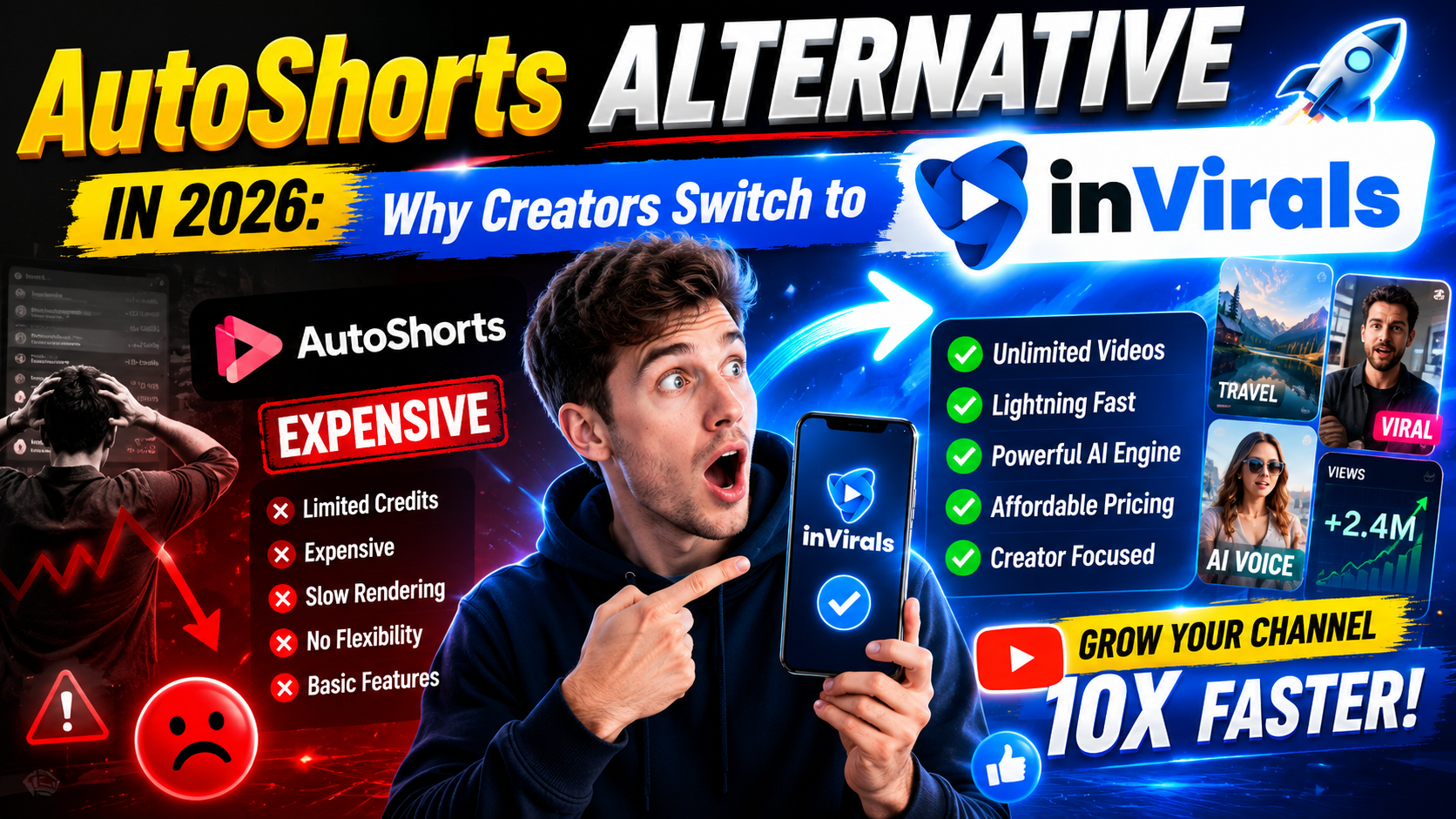
AutoShorts Alternative in 2026: Why Creators Switch to inVirals
AutoShorts helped popularize hands-off faceless video automation, and it does one thing well: it posts scheduled shorts to your channels without much input. But as creators scale, many hit the same wall. They want more control over visuals, more video formats, better editing, and a price that does not punish them for growing. If you are searching for an AutoShorts alternative in 2026, this guide breaks down what to look for, walks through a migration plan, and shows exactly where inVirals fits and where it does not.
Why creators look for an AutoShorts alternative
AutoShorts is built around a small set of series formats. That simplicity is the selling point, but it is also the limit. The most common reasons creators start shopping for an alternative are:
- Limited formats. Once you want UGC ads, clip repurposing, or image-to-video, a series-only tool cannot keep up.
- Little creative control. Hard to fine-tune visuals, captions, pacing, and editing.
- One workflow, one tool. You end up paying for separate apps to cover scripting, editing, and other formats.
- Scaling cost. More channels and more output can get expensive fast.
inVirals vs AutoShorts: the honest comparison
| Feature | inVirals | AutoShorts |
|---|---|---|
| Automated daily posting | Yes | Yes |
| AI script generator | Yes | Basic |
| Built-in video editor | Yes | Limited |
| Multiple content formats | Faceless, clips, UGC, image-to-video | Mainly series |
| Realistic AI voices | 20+ languages | Yes |
| Works for any niche | Yes | Yes |
| HD export, no watermark | Yes | Plan-dependent |
Where inVirals pulls ahead
More than one kind of video
AutoShorts is essentially a faceless series machine. inVirals does that too, but it also gives you an AI clip generator for repurposing long videos, UGC ad creation, and image-to-video. That means one subscription covers organic faceless content and paid ad creative.
Real editing control
Automation is great until a video needs a small fix. inVirals includes a built-in editor so you can adjust captions, timing, and effects without exporting to another app. You keep the speed of automation and the polish of manual editing.
Built to scale without surprises
Because everything lives in one platform, you are not stitching together three subscriptions as your channel network grows. That keeps your cost predictable and your workflow simple.
A closer look at what AutoShorts does well
It would be unfair to frame AutoShorts as a weak tool, because it is not. It solved a real problem at the right time. Before tools like it existed, running a faceless channel meant manually writing a script, generating a voiceover in one app, sourcing visuals in another, editing in a third, exporting, and then uploading by hand to each platform. AutoShorts compressed that into a single scheduled pipeline, and for creators who only want one simple series ticking over in the background, that is still a clean solution.
The trouble is that "one simple series" is rarely where ambitious creators stop. Once a channel starts pulling in views, the natural next moves are to add a second niche, repurpose a long video into clips, test a UGC-style ad to send traffic to an offer, or fine-tune the editing so the videos feel less templated. Each of those moves pushes past what a series-only tool was built to do. That is the moment the search for an AutoShorts alternative usually begins, and it is worth understanding the full picture before you commit your time and money to a migration.
The full feature breakdown: where the real differences live
Surface-level comparisons make every faceless tool look the same because they all claim scripts, voices, and auto-posting. The differences that decide your results are deeper. Here is how the two stack up across the categories that actually move the needle.
Script quality and hooks
Visuals get the first glance, but the script decides whether someone watches to the end. AutoShorts produces serviceable scripts, but they tend to read like narrated paragraphs. inVirals uses a dedicated AI video script generator that structures every video around a hook in the first second, builds tension through the middle, and ends on a loop or payoff that lifts completion rate. You can also run different openings through the AI video hook generator to find the angle that performs before you commit a whole series to it.
Visual variety and consistency
A series-only tool tends to recycle a narrow set of looks, and audiences notice when every video uses the same handful of backgrounds. inVirals offers a wider library of styles, from cinematic and documentary to comic and anime, and keeps characters and tone consistent across a single video so a story actually looks like a story rather than a slideshow of unrelated clips.
Editing control
Automation is a gift right up until a video needs a small fix, at which point a closed pipeline becomes a cage. inVirals includes a built-in editor, so when a caption lands a beat late or a scene runs long, you correct it in seconds without exporting to a separate app. You keep the speed of automation and gain the polish of manual editing, which is the combination that separates a channel that looks professional from one that looks mass-produced.
Format range
This is the widest gap. AutoShorts is built around scheduled series. inVirals treats the faceless series as one format among several. The same account also gives you an AI clip generator for repurposing long videos, UGC ad creation for paid campaigns, image-to-video for animating stills, and a general AI faceless video generator for one-off pieces. When your strategy grows, your tool grows with it instead of sending you shopping for a second subscription.
Pricing and value compared
Headline price is the wrong number to compare. The number that matters is cost per published video at your real posting frequency, plus the cost of every extra subscription you would need to cover the formats a single-purpose tool cannot. A creator running a daily series across three platforms publishes roughly 90 videos a month. If a cheaper plan caps you at 30 and forces an upgrade the moment you find momentum, it was never actually cheaper.
| Cost factor | inVirals | AutoShorts |
|---|---|---|
| Faceless series | Included | Included |
| Clip repurposing | Included | Separate tool needed |
| UGC ad creative | Included | Separate tool needed |
| Image-to-video | Included | Separate tool needed |
| Built-in editor | Included | Limited |
| Effective cost at scale | One predictable subscription | One subscription plus add-ons |
The practical takeaway: if you only ever want a single series, AutoShorts can be the cheaper line item. The moment you want two formats or more, an all-in-one platform usually wins on total cost. Check the pricing tiers against your real monthly output before deciding.
How to migrate from AutoShorts to inVirals (step by step)
Switching tools sounds disruptive, but a faceless channel carries very little that is locked in. Your audience lives on TikTok, YouTube, and Instagram, not inside the tool, so moving is mostly a setup task. Here is the clean path.
- Audit your current series. Note which topics and styles got the best retention on AutoShorts. You will recreate the winners first.
- Sign up and connect your channels. Authorize TikTok, YouTube, and Instagram inside inVirals once. This is a one-time step.
- Recreate your best series. Set the same niche and a comparable visual style, then choose a voice from the 20+ language library.
- Generate a test batch. Produce three to five videos and watch them with sound off, then on, to confirm the hook lands and the pacing feels native.
- Activate the daily series. Set your posting time and let it run, exactly like AutoShorts did, but with editing and extra formats available when you need them.
- Layer in new formats gradually. Once the series is stable, add a clip-repurposing workflow or a UGC ad without opening a new account.
There is no need to delete your AutoShorts account on day one. Run both in parallel for a week, compare the output side by side, and switch fully once you are confident.
Content formats you unlock by switching
Long-to-short repurposing
If you ever publish a long video, a podcast, or a livestream, the AI clip generator finds the strongest moments and reframes them vertically with captions. A single long upload can feed a week of shorts, which is a content source a series-only tool simply ignores.
UGC-style ads
Once a channel drives traffic to a product or offer, you will want ad creative that looks native to the feed. inVirals can produce UGC ads in the same account, so your organic engine and your paid engine share one workflow.
Platform-specific shorts
You can also focus a series on a single platform using the dedicated AI YouTube Shorts generator or AI TikTok video generator, tuning length and pacing to what each platform rewards.
How to get more views after you switch
A better tool is not a magic wand, but it removes the friction that stops most creators from doing the things that actually grow a channel. Use the headroom it gives you on these:
- Test hooks aggressively. Generate three openings for the same topic and post all three. Keep the angle that holds viewers past the three-second mark.
- Batch and schedule. Produce a week of content in one sitting and let the series publish daily. Consistency is the single strongest growth lever on short-form.
- Read retention, not vanity metrics. Completion rate and shares predict reach far better than likes. Double down on whatever topic holds attention longest.
- Repurpose winners. When a short overperforms, make five variations of it rather than chasing a brand-new idea.
Mistakes creators make when switching tools
- Recreating everything at once. Start with your single best series, prove it works in the new tool, then expand. Migrating ten series on day one invites confusion.
- Changing the niche and the tool simultaneously. Change one variable at a time so you know what caused a change in performance.
- Ignoring the editor. The whole point of switching is more control. If you never touch a caption or trim a scene, you are leaving the biggest advantage unused.
- Comparing front-page prices. Compare cost per published video and the number of tools you replace, not the cheapest headline number.
A real-world workflow example
To make the difference concrete, picture a creator running a true-crime faceless channel. On a series-only tool, their week looks like this: the scheduled series posts one short a day, every video uses the same two background styles, and when a clip underperforms there is no easy way to test a different hook. Growth flattens because every video feels interchangeable.
On an all-in-one platform, the same creator batches ten videos on a Sunday, runs three different hooks on their best-performing topic, trims two scenes that dragged, and schedules the set across the week. When a long-form documentary they recorded does well, they drop it into the AI clip generator and pull five extra shorts from it. When an affiliate offer comes up, they spin up a UGC ad in the same account. Same niche, same hours invested, far more output and far more learning per week. That compounding difference is what separates a channel that stalls at a few thousand views from one that keeps climbing.
Speed, quality, and automation: the three pillars
Every faceless tool should be judged on three pillars, and it helps to weigh them deliberately rather than trusting a feature checklist.
Speed
At daily-posting volume across three platforms you need roughly 90 videos a month. A tool that renders a publish-ready short in under two minutes turns a batch session into a coffee break; one that takes five or more minutes per video quietly eats your evenings. inVirals is tuned for short-form throughput, which matters more than any single feature once you commit to consistency.
Quality
Quality is the script plus the visuals plus the voice working together. A strong hook with generic stock footage still gets scrolled past, and beautiful visuals with a flat script lose viewers by the five-second mark. The advantage of a platform that controls scripting, original visuals, and realistic voices in one place is that these three elements are designed to reinforce each other rather than being stitched together from separate tools.
Automation
Automation is the pillar AutoShorts built its name on, and inVirals matches it: connect your channels, set a daily series, and the platform generates and posts without you. The difference is that inVirals gives you that automation without giving up editing control or format range, so you are not trading flexibility for convenience.
When AutoShorts is still fine
To be fair, if your only goal is a single faceless series posting on autopilot and you never plan to touch the videos or add other formats, AutoShorts does the job. The alternative conversation only matters once you want more control, more formats, or more channels.
The bottom line
If you have outgrown a series-only tool and want scripting, generation, editing, voices, multiple formats, and auto-posting in one place, inVirals is the strongest AutoShorts alternative in 2026. The switch is low-risk: your audience stays exactly where it is, your best-performing series can be rebuilt in minutes, and you gain room to grow into clips, ads, and extra niches without adding another subscription. Try inVirals free and create your first faceless video today, or start fast with the AI shorts generator.
What the first 90 days after switching look like
Creators worry that changing tools resets their progress, so it helps to map out what actually happens after a migration. In the first two weeks you rebuild your best series and confirm the output matches or beats what you were getting before. Nothing about your audience changes, because your followers live on TikTok, YouTube, and Instagram, not inside the old tool. By weeks three and four you are no longer just replicating the old series; you are using the editing control and extra formats you switched for. That usually means tighter hooks, a second visual style in rotation, and your first repurposed clips pulled from any long content you own.
By the second month the difference compounds. Because the platform also includes an AI Reels generator and a general AI video generator, you can run a second niche or a platform-specific series without opening another account or paying another subscription. The creators who get the most from a switch are the ones who treat the first month as a controlled experiment: change the tool, keep everything else steady, and read the analytics honestly. If retention and reach hold or improve while your weekly time investment drops, the migration paid for itself. If you want to verify the value before committing long-term, compare your real monthly output against the pricing tiers rather than the headline number, and only move to an annual plan once the new workflow has proven itself over a few weeks.
Frequently asked questions
Is inVirals better than AutoShorts?
For creators who want more than a single faceless series, yes. inVirals adds editing control, multiple content formats, and an all-in-one workflow. For pure set-and-forget series, AutoShorts is simpler.
Can I move my faceless channel from AutoShorts to inVirals?
Yes. Connect your TikTok, YouTube, and Instagram accounts, set up a daily series, and inVirals handles generation and posting just like before, with more formats available when you need them.
Does inVirals work for any niche?
Yes, from motivation and history to true crime, educational, and product content. The AI script and visual tools adapt to your topic.
Will I lose my audience if I switch from AutoShorts?
No. Your subscribers and followers live on TikTok, YouTube, and Instagram, not inside AutoShorts. Switching the tool that generates and posts your videos has no effect on the audience you have already built.
Can inVirals post to more than one platform at once?
Yes. Connect TikTok, YouTube, and Instagram once, and a single daily series publishes to all three in the correct vertical format, so you are not re-exporting and re-uploading the same clip by hand.
What formats can I make beyond a faceless series?
Beyond scheduled faceless shorts, inVirals includes an AI clip generator for turning long videos into shorts, UGC ad creation for paid campaigns, and image-to-video. That breadth is the main reason creators outgrow a series-only tool.
How long does it take to set up a daily series?
Usually under ten minutes. You connect your channels once, choose a niche, style, and voice, set a posting time, and activate. After a quick quality check on the first few videos, the series runs on autopilot.